Pick up where
you left off.
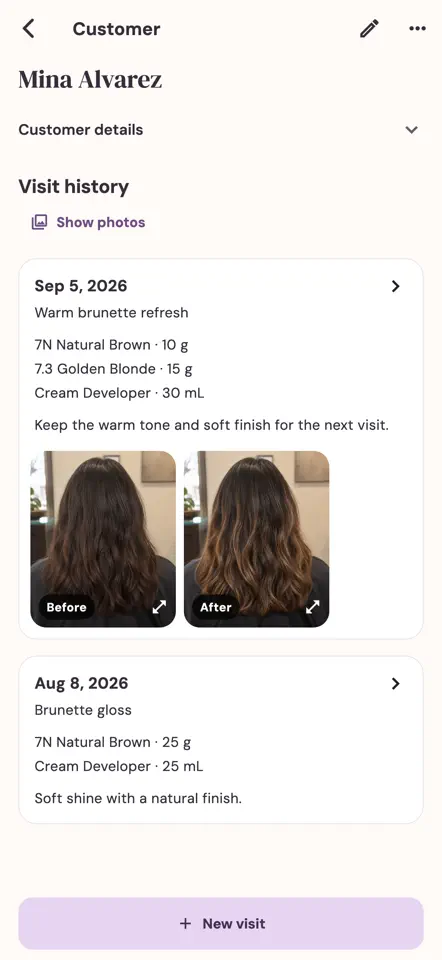
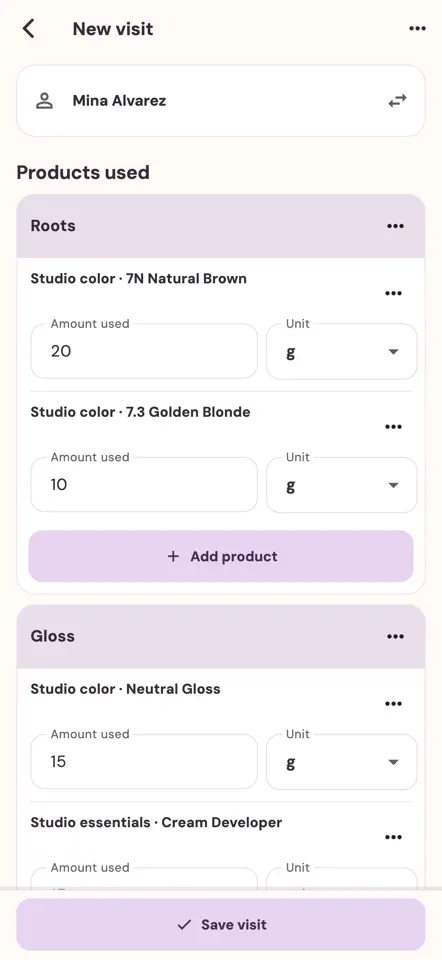
Record products and quantities in named bowls. Return to a client’s previous visits when planning their next color. Unfinished work stays in a draft.
Now on the App Store
For independent hair colorists
The formula you perfected. The result they loved. Keep every visit, photo and product detail ready for the next appointment.
iPhone & iPad · Free to download · In-app purchases
Your first three saved services are free.
No account needed to get started.
Less searching. More time for your craft.
From first mix to next visit
Keep the details that make your work yours, without piecing together notes, photos and old formulas.
Record products and quantities in named bowls. Return to a client’s previous visits when planning their next color. Unfinished work stays in a draft.
Add optional before-and-after photos. Show a client their photo history on your device, without exposing private notes or costs.
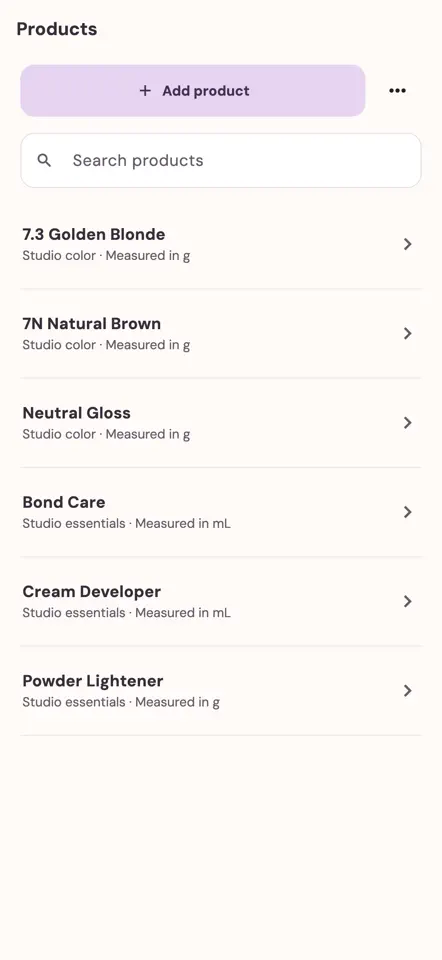
Keep entered product costs and stock alongside your formulas. Revisit, correct and export your records as your ledger grows.
One useful place for the details
From the bowl to the shelf, give the small details a place to live.
Costs depend on the quantities and prices you enter. Product contribution excludes labor, rent, taxes and other overhead. ColorLedger does not provide chemical formulation or safety advice.
Start with your next client
Begin with three saved services. Choose Pro in the app when you’re ready to continue.
Free samples
Each sample is one completed client service, including its formula, bowls and optional photos.
A one-time allowance shared across guest and account ledgers on this installation. Deleting or voiding history does not reset it.
ColorLedger Pro
14 days free for eligible new subscribers
Register or sign in, verify your email, then choose a monthly or yearly plan in the app.
Apple confirms trial eligibility and terms. After the trial, your plan renews at the price shown unless canceled. Creating an account does not start a trial. Ineligible accounts see regular subscription terms.
The annual plan is billed upfront. Where comparable plans are available, annual savings are shown against twelve monthly payments, alongside the full annual charge. Closing a subscription prompt keeps your draft.
Good to know
A few things to know before your first visit.
Visit the help centerYour ledger and photos stay on this device. Cloud backup and multi-device sync are not available in this version, including when you’re signed in. Keep exports and any photo copies you need separately. Read about your data.
Not for the three free guest samples. A verified email account is required before a new subscription. Email codes are the default way to register or sign in; after verification, you can optionally set a password in Account → Password. Signing in opens a separate account ledger on this device; it does not import guest records or upload your salon records.
Your saved history, corrections and basic exports remain available after a subscription ends. Manage or cancel renewal in Apple subscription settings. Deleting the app or your account does not cancel billing.
ColorLedger is available now on the App Store for iPhone and iPad running iOS or iPadOS 15 or later. Store availability may vary by country or region. Records do not sync between devices.

Your next great color starts here
For iPhone & iPad. Three saved services free.